 CallerHub
Interface and network
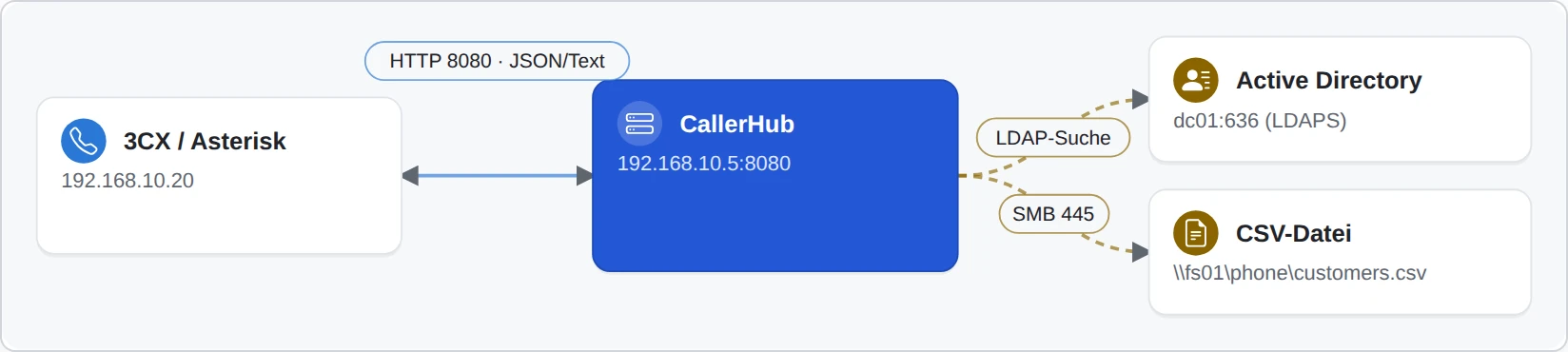
What administrators need for the setup. The examples use 192.168.10.5 as the CallerHub server, port 8080 and the placeholder API-KEY.
Lookup URL for the phone system
The phone system calls this address on every call and receives the name in return. Each interface has its own API key; CallerHub answers the request using that interface's data sources.
http://192.168.10.5:8080/lookup?apikey=API-KEY&number=040 66969000
  → Becker & Partner - Laura Becker   (empty if unknown)
The right address for each system is on the phone systems page; “Copy guide” in CallerHub provides it with the real API key. Instead of the apikey parameter, the key can also be sent in the X-Api-Key header; it then does not appear in proxy logs.
Response codes
| Code | Meaning |
|---|---|
200 | Name found (empty for an unknown number) |
401 | API key or access key wrong or missing |
403 | IP address not allowed for this interface |
404 | unknown path or module switched off |
405 | wrong HTTP method |
429 | temporarily locked after too many wrong keys |
503 | no data source ready or phone number list not yet loaded |
More help with troubleshooting: common connection errors.
Network connections and ports
CallerHub only establishes the connections you set up. It sends no call or personal data to the provider; it connects to callerhub.de only for the update check and, with its own licence key or a trial, for the licence revocation list and the online licence check.
| Connection | Direction | Port (example) | Content | When |
|---|---|---|---|---|
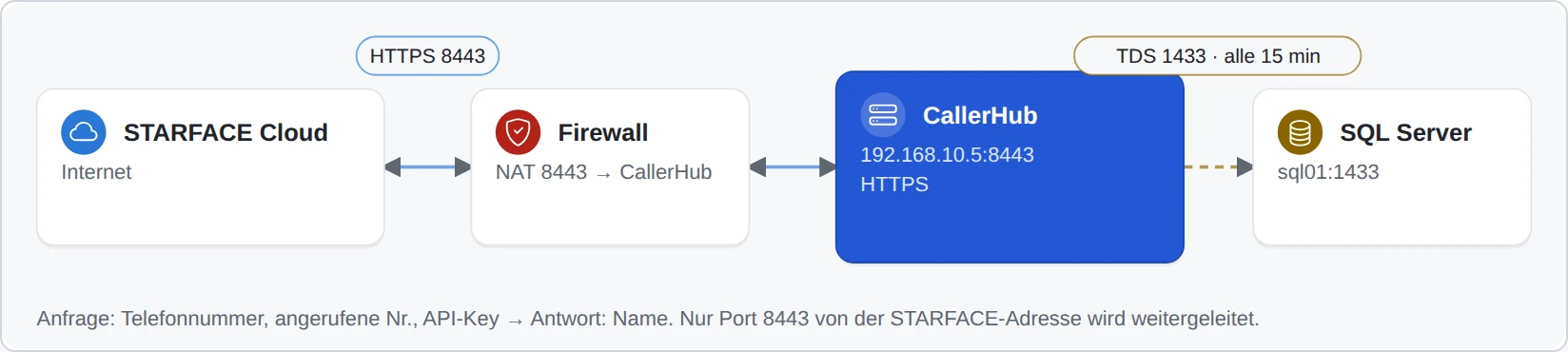
| Phone system → CallerHub | inbound | 8080 HTTP / 8443 HTTPS | Phone number, optionally called number and user, API key → name, optionally link | per call |
| CallerHub → SQL database | outbound | 1433, 1521, 3306, 5432 | Sign-in, SELECT | list at interval or per call |
| CallerHub → LDAP/AD | outbound | 389 / 636 | Sign-in, search | at interval |
| CallerHub → Microsoft 365, EWS, REST | outbound | 443 | Token request, retrieval of contacts | at interval or per call |
| CallerHub → SMTP / webhook | outbound | 587 / 465 / 25, 443 | Failure and recovery, reports; no phone numbers | on failure or as scheduled |
| Browser / monitoring → CallerHub | inbound | same as interface | Statistics, call analytics, monitoring with access key | on access |
| Phones → LDAP phone book | inbound | 389 / 636 | Name and reverse search | per search |
| Live reception of call records | inbound or outbound | 5100, 5101, 5038, 1080, 1012 or 443 | Call records per call | continuous or at interval |
| CallerHub → callerhub.de | outbound | 443 | Query for the latest version, download of the program file; with its own licence key the signed licence revocation list | on “Check for updates” or update; revocation list once a day |
| CallerHub → STARFACE (REST) | outbound | 443 | Contacts into its own STARFACE address book | nightly, after reload, on demand |
| Mitel phones → CallerHub | inbound | HTTP, TFTP | Configuration files, display pages | when the phone starts, on request |
| CallerHub → nuget.org | outbound | 443 | Download of the Oracle driver | only if the driver is missing and you confirm |
| Network discovery | outbound | incl. 1433, 1521, 3306, 5432, 389, 636, 5060, 1012; UDP 1434, 1900 | Connection attempt without sign-in | only after an explicit start |
Further interfaces
- Browser access: statistics and call analytics in the browser, redirect to the CRM record for CTI pop-ups – with its own access key.
- Monitoring: Nagios, Icinga, Checkmk, PRTG, Zabbix, Prometheus and Grafana – with its own monitoring key.
- Call records and call events from phone systems and your own scripts.
- Plugins: your own extensions that run on every call.
Technical details of these interfaces (endpoints and parameters, console commands, plugin and event interface) are available on request from support: info@callerhub.de.